How to Use the Holiday Card Mailing Kit: Clean the List, Print the Labels, Mail Before the Deadline
Every January, a few of your cards come back stamped “moved”, and the season they were meant for is already over. The fix is twenty minutes of list hygiene in November — in the right order, and without ever typing your address book into a website.

The Holiday Card Mailing Kit runs the card job in the only order that works: deadline first, cleanup second, labels last. Section one counts back from the mailing deadline — you pick a destination class (U.S. First-Class Mail or Ground Advantage, U.S. Priority Mail, U.S. Priority Mail Express, or First-Class Package International outside the U.S.) and the day you plan to mail, and the kit shows the USPS recommended send-by date for expected delivery before December 25, 2026, plus cleanup and writing dates counted back from it as suggested pacing. Section two cleans the address list in four steps — gather, flag, confirm, lock — with fifteen ticks and four counts, all in your own spreadsheet or notebook. Section three prints blank labels to match the final count. The kit deliberately has no field for names or addresses, and nothing is uploaded, saved or tracked.
Why the list decays, and why this kit refuses to hold it
A holiday card list looks stable because it sits still. Underneath, it rots. In the U.S., roughly one household in twelve changes address in a year, and the list records none of it: not the cousin who moved in March, not the friend whose card came back last December and never got fixed, not the new baby, the marriage, the changed surname. The decay stays invisible until January, when the returned envelopes land — weeks too late to re-send the card that mattered.
So the cleanup happens in November, in your own file — the kit’s central design decision. Never type your real address book into a web page, including this one. There is nowhere on the page to enter a name or an address, on purpose: an address book is personal data about other people as well as you. The kit keeps only the process, the counts and the dates; nothing is uploaded, saved or tracked, and refreshing the page wipes your ticks and counts — print what you want to keep.
The order matters: deadline first, cleanup second, labels last
Most people run this job backwards: buy cards, start writing, and discover the deadline — and the state of the list — in the middle. The kit forces the productive order. First, the deadline: pick the destination class that matches most of your list and the day you actually plan to mail, and the planner counts back from the USPS recommended send-by date for that class, giving you a cleanup-finished date and a writing-finished date. Those counted-back dates are the kit’s suggested pacing, not USPS dates.
Second, the cleanup, because the final count is an output of it, not a guess made before it. Third, the labels, printed to match that final count exactly — no forty labels for fifty-eight cards, no reprint because two households were duplicates. The deadline sets the pace, the cleanup sets the number, the number sets the print run. And “recommended” is not “guaranteed” — the limits section comes back to that.
The kit, step by step
Before you start, have two things ready: your own list file — last year’s spreadsheet or notebook, wherever it lives — and access to a printer for the labels at the end.
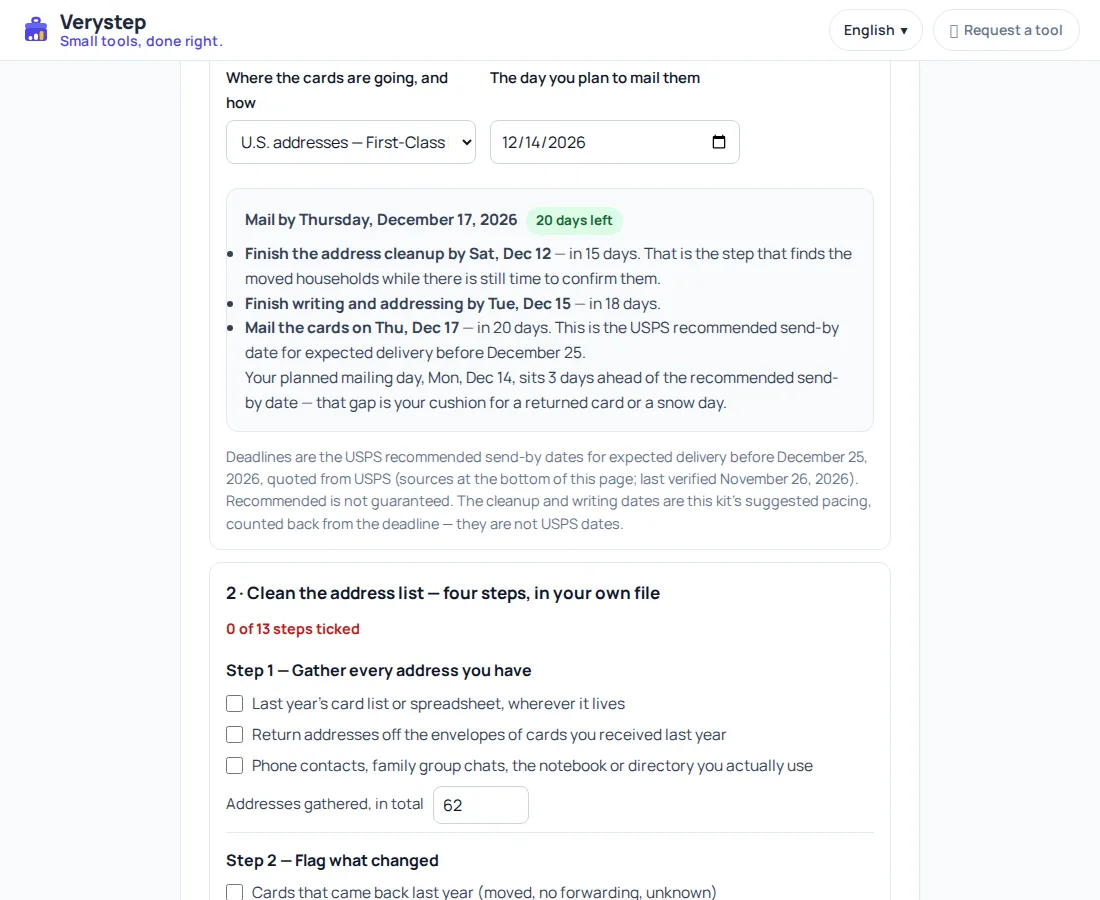
- Count back from the deadline. In section one, choose the destination class that matches most of your list — U.S. First-Class Mail / Ground Advantage, U.S. Priority Mail, U.S. Priority Mail Express, or First-Class Package International for cards leaving the U.S. — and set the day you plan to mail. Read the three counted-back dates: cleanup finished, writing finished, cards mailed. Expected result: a real schedule, paced back from the USPS recommended send-by date for your class.
- Gather every address you have. In your own file, pull together last year’s card list, return addresses off envelopes you received, phone contacts, group chats and your notebook. Tick the gathering tasks — fifteen ticks across the whole cleanup — and enter the total as the kit’s “addresses gathered” count. Expected result: one pile, one number, no second list in a drawer.
- Flag what changed. Against that pile: last year’s returned cards, known movers, duplicates gathered twice, and names to double-check — new babies, marriages, changed names, unsure spellings. Tick each check, enter the flagged count. Expected result: the doubtful minority is named and counted, not lurking in the full list.
- Confirm the uncertain ones. Work only on the flagged addresses: text or email each household — “Still at the same address?” — confirm movers against a second source (their reply, a newer card), and check ZIP or postal codes on corrected addresses. Enter the confirmed count. Expected result: every flagged address verified or visibly still open, corrections in your file, not on the web page.
- Lock the final list. One row per household, not per person; split it into U.S., international and hand-delivered; save it where next year’s cleanup will find it. Enter the final count — the cards you will actually write. Expected result: one locked list, usually smaller than the gathered pile, and the number everything else depends on.
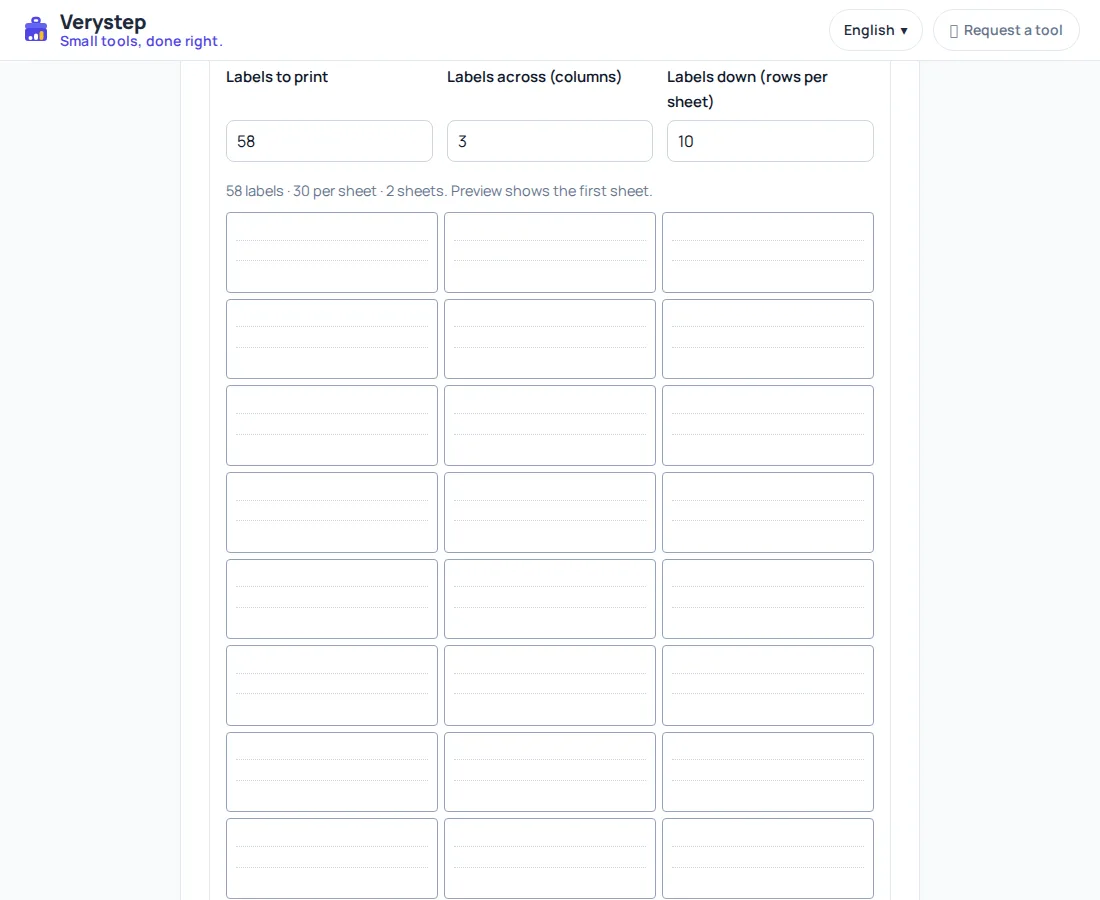
- Print labels to match. In section three, set the labels to print equal to your final count and choose the sheet layout — the common U.S. sheet is 3 across × 10 down, for 1″ × 2⅝″ labels. Print at 100% / actual size, run one test sheet on plain paper first, held over a real label sheet against the light, then print the real sheets. Expected result: exactly enough blank labels, aligned, ready to fill from your own list.
Done? The kit’s Copy share link carries only these inputs — class, mail day, counts, label layout — if you want to send the plan to someone helping you. No names, no addresses: the page never had them.
Worked example: 62 gathered addresses become 58 cards
Take a persona household — two adults, one long-running card list, relatives and friends mostly in the U.S. They open the kit in late November, pick the U.S. First-Class class and a planned mail day in mid-December, and read the pacing the kit counts back for that class: cleanup finished about two weeks before the mail day, writing done across the week before it — the kit’s suggested pacing, counted back from the date the kit shows for their class. “Sometime in December” becomes three dated sittings.
The cleanup runs in their own spreadsheet. Gathering pulls 62 addresses into one pile: last year’s list, return addresses saved off envelopes, two households that only existed in a phone’s contacts. Flagging marks 9 of the 62: 3 cards that came back last year, 4 people known to have moved, and 2 duplicates — the same households gathered once from the old list and once from the phone. Short texts confirm all 9. The 2 duplicates merge into single rows, and 2 households come off the list entirely: one moved abroad with no new address anyone could confirm, and one asked to be dropped. The arithmetic: 62 gathered, minus 2 merged duplicates, minus 2 removals, leaves a locked final list of 58 cards.
Labels follow the number. They set the label count to 58 on the standard 3 × 10 sheet — 30 per sheet — so the kit lays out 2 sheets: 60 positions, 58 used, 2 spare for the inevitable spoiled one. One plain-paper test sheet first, then the real sheets print clean, writing fills the week the planner counted out, and the cards mail on the planned day.
Limits: what the kit does not do
First, the dates. The send-by dates are USPS recommendations for expected delivery before December 25, 2026 — not a delivery guarantee. Weather, backlogs and carrier updates move real arrival times, so mail earlier than the date the kit shows if a card truly cannot be late.
Second, nothing persists. The ticks and counts live in the open tab only; refresh or close it and they are gone. That is the privacy design working as intended, but the kit is a workbench, not a filing cabinet: print what you want on paper, and keep the real list in your own file.
Third, the kit never validates a real address. It cannot tell you whether a street address exists or a ZIP code is right; the only confirmation worth having comes from the household itself, which is why step three is a message to a person, not a lookup. If nobody replies, the honest options are last year’s address with a return address on the envelope, or off the list.
Finally, scope: this kit is for households mailing their own cards. A seller shipping orders against carrier cut-offs has a different job, and it belongs on the holiday shipping deadline calculator instead. Here the deliverable is simpler: a clean list, the right number of labels, and cards that leave on the day you planned.
The Verystep Holiday Card Mailing Kit has three sections: a count-back planner that turns your destination class and planned mail day into cleanup, writing and mailing dates; a four-step address cleanup checklist that tracks four counts — gathered, flagged, confirmed, final — and nothing else; and a blank label printer that lays out exactly as many labels as your final count needs. There is no field anywhere for a name or an address, and nothing is uploaded, saved or tracked: refresh the page and your ticks and counts are gone, so print what you want to keep.
Last verified November 27, 2026 — the live Holiday Card Mailing Kit checked in both its published languages (EN /holiday-card-mailing-kit/, ES /es/kit-de-tarjetas-navidenas/): the three sections in order (count back from the mailing deadline; clean the address list in four steps; print blank address labels to match); the four destination classes (U.S. First-Class Mail / Ground Advantage, U.S. Priority Mail, U.S. Priority Mail Express, outside the U.S. First-Class Package International) with a planned mail day; the framing that the deadlines are the USPS recommended send-by dates for expected delivery before December 25, 2026 — recommended, not guaranteed — and that the cleanup and writing dates are the kit’s suggested pacing counted back, not USPS dates; the cleanup’s four steps (gather, flag, confirm, lock) with fifteen ticks and four counts (gathered, flagged, confirmed, final); the label section’s inputs (labels to print, columns across, rows per sheet), the common U.S. sheet of 3 across × 10 down with 1″ × 2⅝″ labels, the 100% / actual size instruction and the plain-paper test sheet; the deliberate absence of any field for names or addresses, with nothing uploaded, saved or tracked and ticks and counts cleared on refresh; and the Copy share link carrying only those inputs. The kit page itself states it was last verified November 26, 2026 against USPS. Worked-example arithmetic re-checked: 62 gathered − 2 merged duplicates − 2 removed households = 58 final; 58 labels on 30-per-sheet stock = 2 sheets, 60 positions, 2 spare.
Frequently asked questions
Why is there nowhere to type names or addresses into the kit?
On purpose. An address book is personal data about other people as well as you, and it has no business being typed into a web page. The cleanup happens in your own spreadsheet or notebook; the kit keeps only the process, four counts and the dates. Nothing is uploaded, saved or tracked, and refreshing the page wipes your ticks and counts — print what you want to keep.
Are the mailing deadlines in the kit guaranteed delivery dates?
No. They are the USPS recommended send-by dates for expected delivery before December 25, 2026, quoted from USPS — the kit page was last verified against USPS on November 26, 2026. Recommended is not guaranteed: weather and backlogs move real arrivals. The cleanup and writing dates are different again — they are the kit’s own suggested pacing, counted back from the send-by date, not USPS dates.
How does the four-step cleanup work?
Gather, flag, confirm, lock — fifteen ticks and four counts in total. Gather every address you hold into one pile and enter the total. Flag what changed: last year’s returns, known movers, duplicates, names to double-check. Confirm the flagged ones by asking the households directly and checking movers against a second source. Then lock the list at one row per household, split into U.S., international and hand-delivered, and enter the final count of cards to write.
How many labels do I print, and on what sheets?
Exactly your final count — the label section takes the number your cleanup locked. The common U.S. sheet is 3 across × 10 down (1″ × 2⅝″ labels, 30 per sheet), so 58 cards need 2 sheets with 2 positions spare. Set the printer to 100% / actual size, never “fit to page”, and run one test sheet on plain paper, held over a real label sheet against the light, before printing the good sheets. The labels are blank on purpose: you write or print the addresses from your own list, on your own machine.
What does the Copy share link share?
Only the kit’s inputs: destination class, planned mail day, the four cleanup counts and the label layout. It cannot share names or addresses, because the page never receives any. Nothing is stored server-side — the link carries the inputs, and that is all.
More guides
The PPWR Empty Space Ratio: Why the 50% Cap Hits Your Shipping Box First
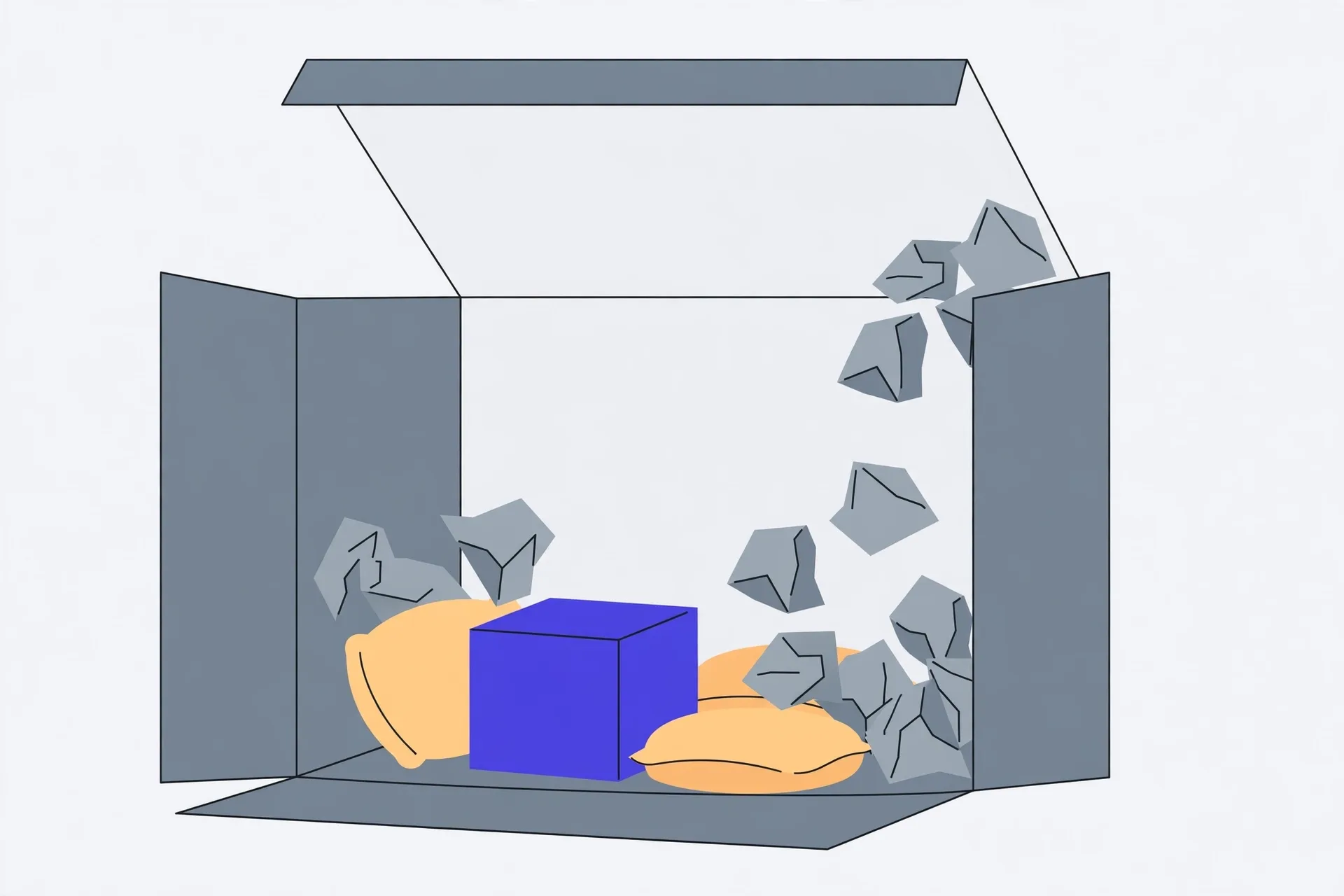
Ask a room of online sellers what the PPWR will change first and most will say labels. The duty with a number in it is quieter: from 2030 at the earliest, no more than half the volume of your shipping box may be empty — and the filler you stuff into it counts as empty.
Counting a Return Window: The EU 14-Day Cooling-Off Period Starts the Day After Delivery
A shop page says “14 days to return”. Fourteen days from when — the order, the dispatch, the delivery? And counted how — in calendar days or working days? EU law answers both questions, and the answers are not the ones most countdown banners use.

How to Check Gift Return Eligibility Without a Receipt
Black Friday is over, the gifts are changing hands, and some of them are the wrong size, the wrong color or the second one you own. There is no receipt — there never is with a gift — so the question is not “can I get my money back?” but “which route does this store actually offer someone in my position, and how long do I have?”