How to Use a Scientific Calculator
The calculator rarely lies. Most wrong answers come from three quiet traps: the angle mode, a missing pair of parentheses, and pressing log when you meant ln.
A scientific calculator adds functions to the four basic operations: sin, cos and tan for angles, log (base 10) and ln (base e) for logarithms, powers and roots, factorial, and the constants π and e. It evaluates in the standard order — parentheses first, then powers and functions, then multiplication and division, then addition and subtraction. On Verystep the function keys act on the value currently on display, the DEG indicator shows whether angles are read as degrees (full circle 360) or radians (full circle 2π), and trig starts in degrees. Three checks prevent nearly every error: confirm DEG or RAD before touching a trig key, add parentheses whenever the written formula groups terms, and pick log or ln by the base your problem actually uses. There are no memory keys on this keypad, so note intermediate results on paper instead of expecting the tool to store them.
What the extra keys actually do
A basic calculator answers one operation at a time, in the order you tap. A scientific calculator understands structure. It holds the expression you are building and evaluates it by precedence: parentheses first, then powers and functions, then multiplication and division, and only then addition and subtraction. That is why 2 + 3 × 4 returns 14 and not 20 — the multiplication outranks the addition, whether you like it or not.
The function rows sit above the digits. sin, cos and tan turn an angle into a ratio; sin⁻¹, cos⁻¹ and tan⁻¹ run the trip backwards, turning a ratio into an angle. log and ln are both logarithms but to different bases: log counts powers of ten, so log(1000) = 3, while ln counts powers of e, so ln(e) = 1. √ takes a square root, x² squares the displayed value, x³ cubes it, and xʸ raises it to any power you enter next. n! multiplies a whole number by every whole number below it — 5! = 120 — and the π and e keys insert those constants at full precision instead of a typed 3.14. The smaller keys earn their place too: 1/x flips a value to its reciprocal, |x| drops a minus sign, eˣ raises e to the displayed power, +/− changes sign, and ( and ) group terms.
One behaviour surprises newcomers: on this keypad a function applies to the value currently shown. Type 30, tap sin, and you get the sine of 30 — which is exactly why the next section matters more than any other. The number 30 means one angle in degrees and a completely different angle in radians, and the calculator cannot guess which one you meant.
Your first calculations, step by step
Before you start: open the calculator and look at the small indicator near the top of the keypad. It reads DEG on a fresh visit. Leave it there for school-style geometry; tap it to switch to RAD only when your problem is already written in radians. You also need to know that there are no memory keys here — if a long problem needs a result again later, write it down.
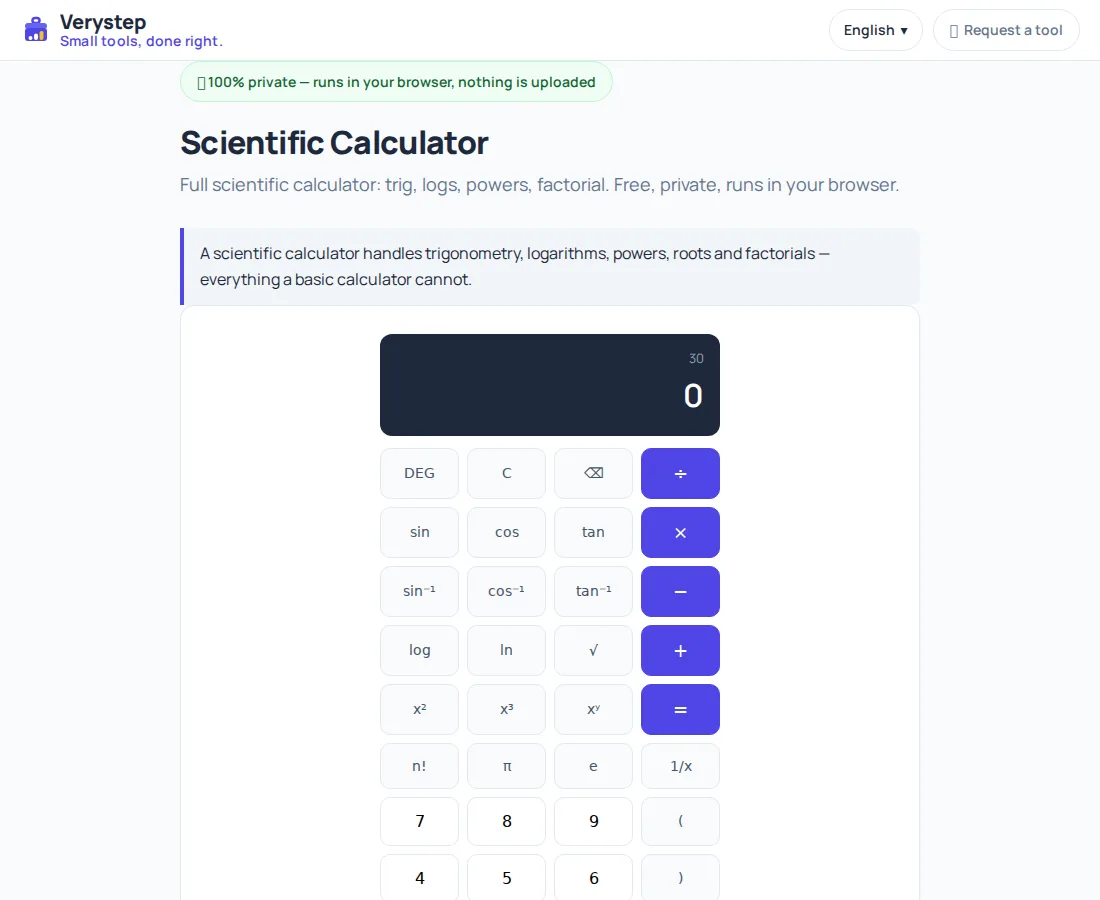
- Clear any leftover state with C. Expect the display to return to 0 and the mode indicator to read DEG. Every worked check below assumes this starting point.
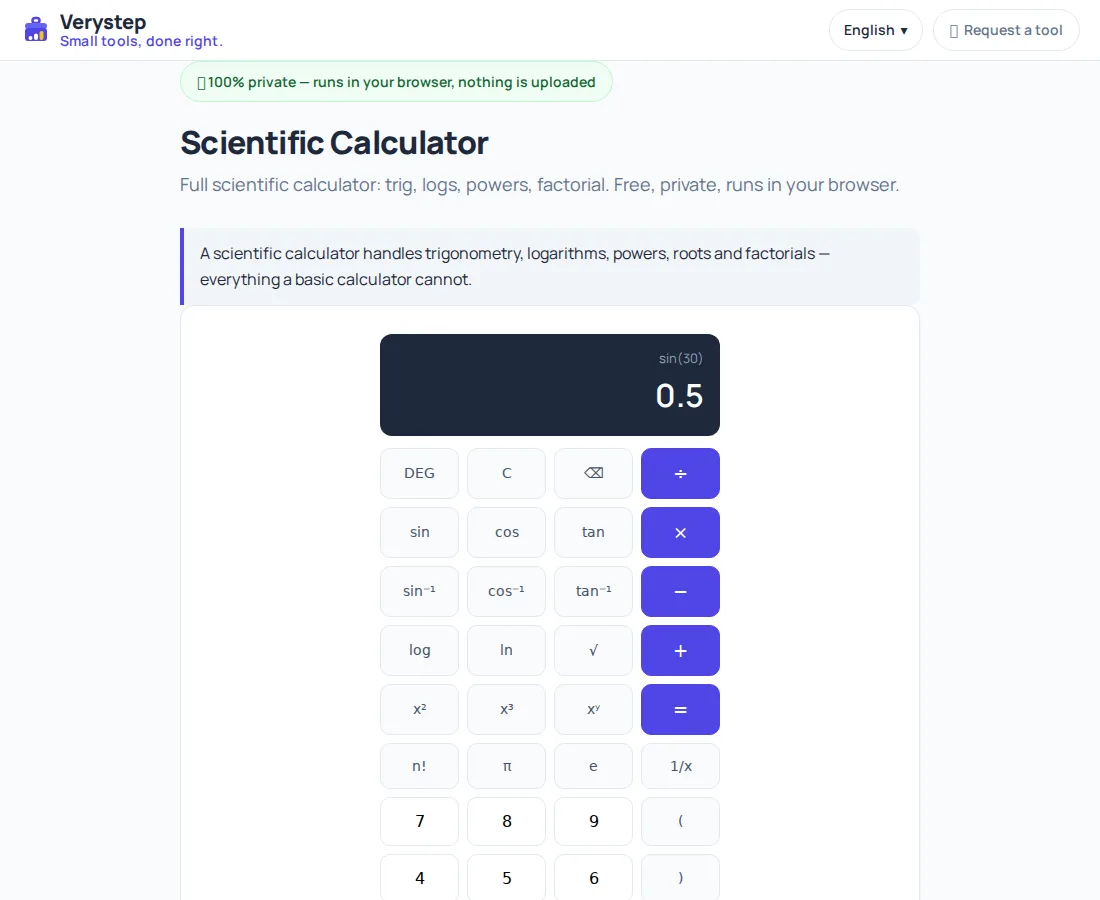
- Run the angle-mode check: type 30, then tap sin. Expect 0.5. In degrees, sin(30°) is exactly one half, so this ten-second test proves the mode. If you see about −0.988 instead, the calculator is in RAD — tap the DEG/RAD indicator and repeat until you get 0.5.
- Try a power: type 2, tap xʸ, type 10, then press =. Expect 1024. The xʸ key waits for the exponent after it, so the order is base, xʸ, exponent, equals.
- Test precedence: type 2 + 3 × 4 and press =. Expect 14, because the calculator multiplies 3 × 4 = 12 before adding. Now type ( 2 + 3 ) × 4 and press =. Expect 20 — the parentheses forced the addition to happen first.
- Separate the logarithms: type 1000, tap log, and expect 3. Clear, type the e key to put e on the display, tap ln, and expect 1. Same family, different bases, different keys.
- Finish with a root and a factorial: type 144, tap √, expect 12. Clear, type 5, tap n!, expect 120. You have now touched every family of keys on the pad.
Work through those six checks once and the layout stops being a wall of symbols. Each key is one idea, and the display always shows the value the next function will act on.
Worked example: 3.2 × (4.5 + 2.3²) − √49, checked piece by piece
Take the expression 3.2 × (4.5 + 2.3²) − √49. It mixes all three traps in one line: a power inside parentheses, a multiplication outside them, and a root at the end. Solve it in the order the calculator will. First the power: 2.3² = 5.29. Inside the parentheses: 4.5 + 5.29 = 9.79. Multiply by what stands outside: 3.2 × 9.79 = 31.328. The root stands alone: √49 = 7, because 7 × 7 = 49. Subtract last: 31.328 − 7 = 24.328.
Now enter it exactly as written: 3.2 × ( 4.5 + 2.3 x² ) − 49 √ — building the root by entering 49 and tapping √ — then =. The display should read 24.328. If it does not, the parentheses are the first suspect: without them, the multiplication reaches inside and the addition happens in the wrong order, and the answer drifts while still looking plausible. Plausible is the dangerous kind of wrong.
Pair that with the angle check from the steps above. sin(30°) = 0.5 in DEG mode. Switch to RAD and the same keystrokes give sin(30 radians) ≈ −0.988 — not a rounding wobble, a different angle altogether, since 30 radians wraps around the circle almost five full turns. Whenever a trig answer looks wildly off, do not retype the number. Check the mode first; it is the cheapest fix in mathematics.
Limits worth knowing
Angles are the big one, and there is a second edge to them: tan(90°) is undefined, because the tangent shoots off to infinity there. Treat a gigantic tangent result near 90 degrees as “undefined”, not as a real measurement. Factorial also has a ceiling: it is defined here for non-negative whole numbers, and 170! is the largest the tool will return — beyond that the result overflows what browser numbers can hold and you get an error instead. Roots of negative numbers, logarithms of zero or negative values, and division by zero likewise end in an error, which is the honest answer in real numbers.
Precision is finite. The calculator works in double-precision floating point, roughly fifteen significant digits, and rounds away binary noise — the reason 0.1 + 0.2 shows as 0.3 rather than 0.30000000000000004. That is plenty for homework, workshop and everyday technical work. It is not a computer algebra system: you get 1.414… for √2, never the exact symbol, and there is no graphing, no unit conversion and no equation solver hiding in the keypad. Convert units before you calculate, and sketch graphs elsewhere.
Finally, remember the missing memory keys. Long multi-part problems need a notebook habit: write each intermediate result down, check it against a rough estimate, then type it back in. The estimate habit catches more errors than any key on the pad — if 3.2 × 9.79 comes out near 300, a decimal point slipped, and no mode indicator will tell you that.
The Verystep Scientific Calculator runs entirely in your browser. Tap DEG to switch between degrees and radians, build values with the digit keys and parentheses, and apply sin, cos, tan, their inverses, log, ln, √, x², x³, xʸ, n!, π, e, 1/x, |x| and eˣ from the function rows. Press = to evaluate, C to clear everything and ⌫ to delete the last entry. Nothing you type is uploaded.
Last verified November 24, 2026 against the live Scientific Calculator in five languages (English /scientific-calculator/, Spanish /es/calculadora-cientifica/, Portuguese /pt/calculadora-cientifica/, French /fr/calculatrice-scientifique/, German /de/wissenschaftlicher-taschenrechner/): the DEG indicator and DEG/RAD switching with degrees as the trig default; the keypad rows sin, cos, tan, sin⁻¹, cos⁻¹, tan⁻¹, log, ln, √, x², x³, xʸ, n!, π, e, 1/x, |x|, +/−, eˣ, parentheses, C and ⌫ on the English keypad; functions applying to the displayed value; and the absence of memory keys. Numbers recomputed with Python: 2.3² = 5.29, 4.5 + 5.29 = 9.79, 3.2 × 9.79 = 31.328, √49 = 7, final result 24.328; sin(30°) = 0.5 and sin(30 rad) ≈ −0.988; log(1000) = 3, ln(e) = 1, 2¹⁰ = 1024, √144 = 12, 5! = 120.
Frequently asked questions
Why did sin(30) give me −0.988 instead of 0.5?
The calculator was in RAD mode, so it read your 30 as 30 radians — an angle that wraps around the circle almost five times — instead of 30 degrees. Tap the DEG/RAD indicator so it reads DEG and calculate again: sin(30°) = 0.5. Check the mode before every trig calculation.
What is the difference between log and ln?
log is base 10: log(1000) = 3 because 10³ = 1000. ln is base e: ln(e) = 1 because e¹ = e. Use log for decimal scales and orders of magnitude, ln for continuous growth and calculus. For any other base b, use the change-of-base rule: log base b of x equals ln(x) ÷ ln(b).
Why is 2 + 3 × 4 equal to 14, not 20?
Because multiplication outranks addition in the order of operations. The calculator does 3 × 4 = 12 first, then 2 + 12 = 14. If your formula means “add first”, say so with parentheses: (2 + 3) × 4 = 20. Parentheses always win.
Does this calculator have memory keys like M+ and MR?
No — this keypad has no memory keys, and nothing is stored when you close the tab. For multi-step problems, write intermediate results down and retype them. Clearing with C wipes the current work, so note anything you still need before you press it.
Why did I get an error for a square root or a logarithm?
Some inputs have no answer in real numbers: the square root of a negative number, the logarithm of zero or a negative value, and division by zero all return an error by design. Factorial also stops at 170! and only accepts non-negative whole numbers. Check the input before blaming the tool.
More guides
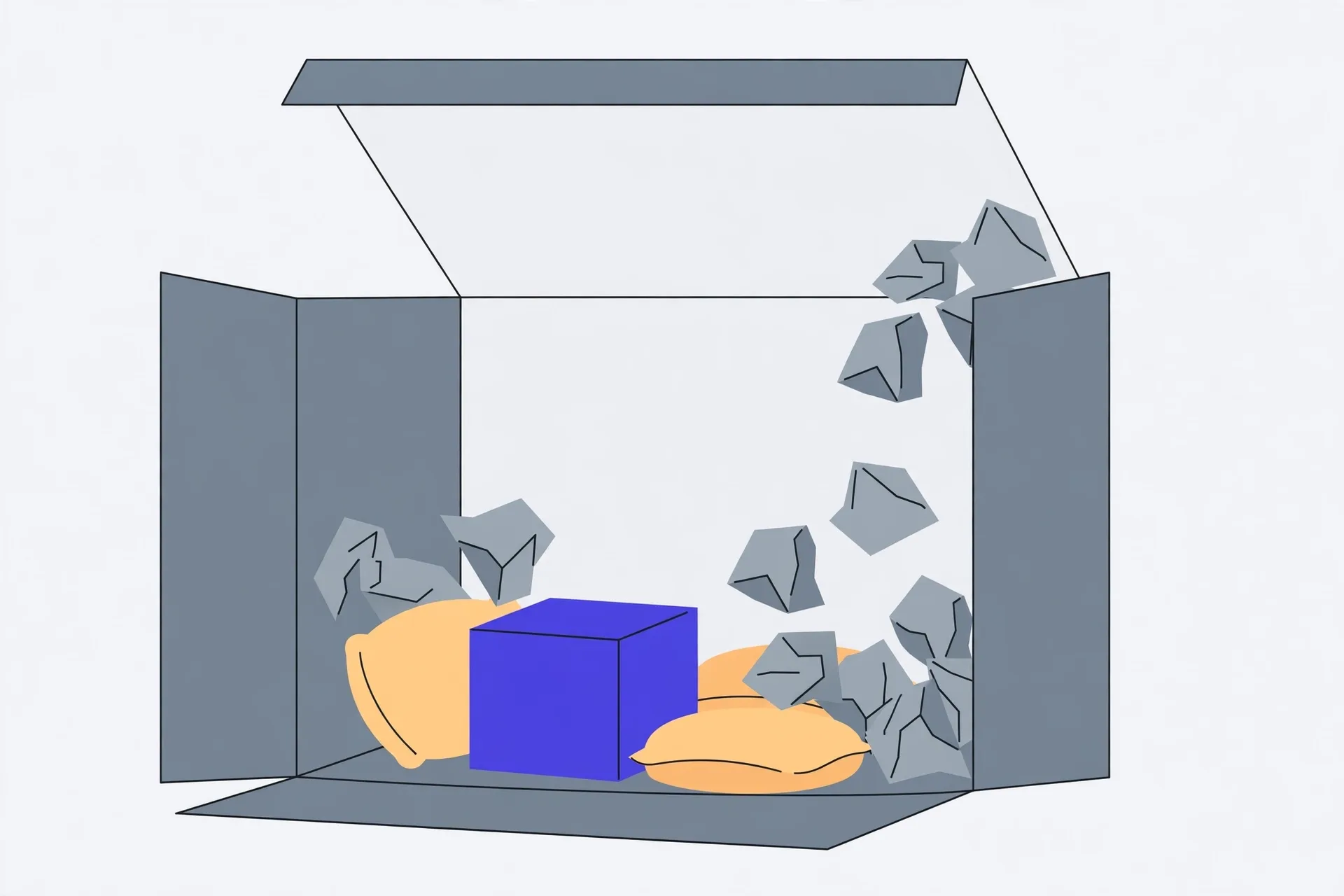
The PPWR Empty Space Ratio: Why the 50% Cap Hits Your Shipping Box First
Ask a room of online sellers what the PPWR will change first and most will say labels. The duty with a number in it is quieter: from 2030 at the earliest, no more than half the volume of your shipping box may be empty — and the filler you stuff into it counts as empty.
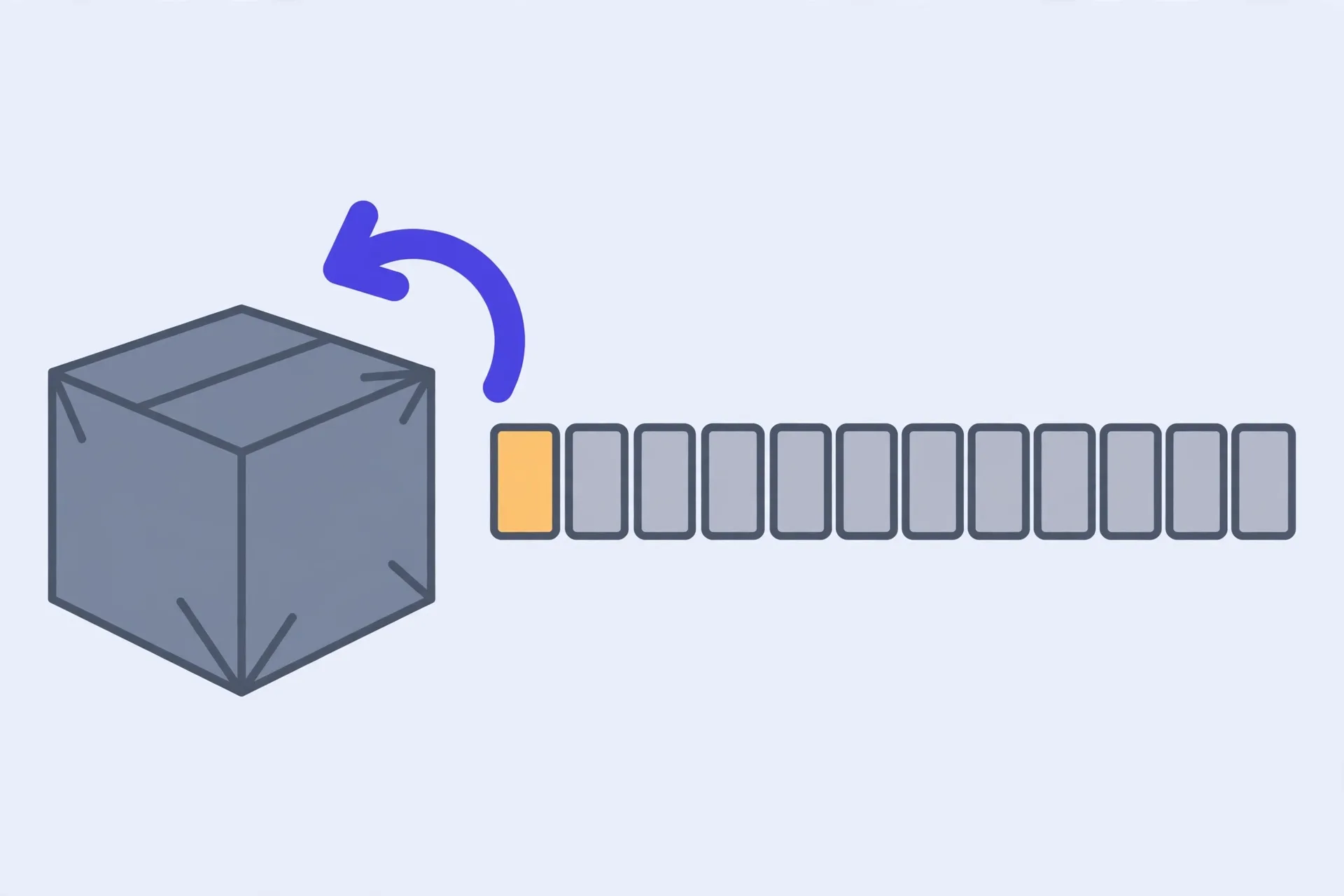
Counting a Return Window: The EU 14-Day Cooling-Off Period Starts the Day After Delivery
A shop page says “14 days to return”. Fourteen days from when — the order, the dispatch, the delivery? And counted how — in calendar days or working days? EU law answers both questions, and the answers are not the ones most countdown banners use.

How to Check Gift Return Eligibility Without a Receipt
Black Friday is over, the gifts are changing hands, and some of them are the wrong size, the wrong color or the second one you own. There is no receipt — there never is with a gift — so the question is not “can I get my money back?” but “which route does this store actually offer someone in my position, and how long do I have?”