How to Add or Subtract Fractions Without Guessing
Adding fractions isn't hard once you stop adding the bottom numbers. Here's the common-denominator routine, worked twice, so the next pair you meet takes a minute instead of a guess.

Addition and subtraction share one rule: the denominators have to match before the numerators can move. The Fraction Calculator applies that rule for you — you enter the First numerator and First denominator, pick + Add or − Subtract in the Operation field, and enter the Second numerator and Second denominator. It returns the result reduced to lowest terms, as a mixed number when the answer is improper, and as a decimal to six places. This guide works through the routine the tool follows, with 3/4 + 5/6 = 19/12 and 7/8 − 1/3 = 13/24 done by hand, plus the multiply and divide rules that sit alongside them and the slips that produce wrong answers that look tidy.
Why the bottom numbers have to match first
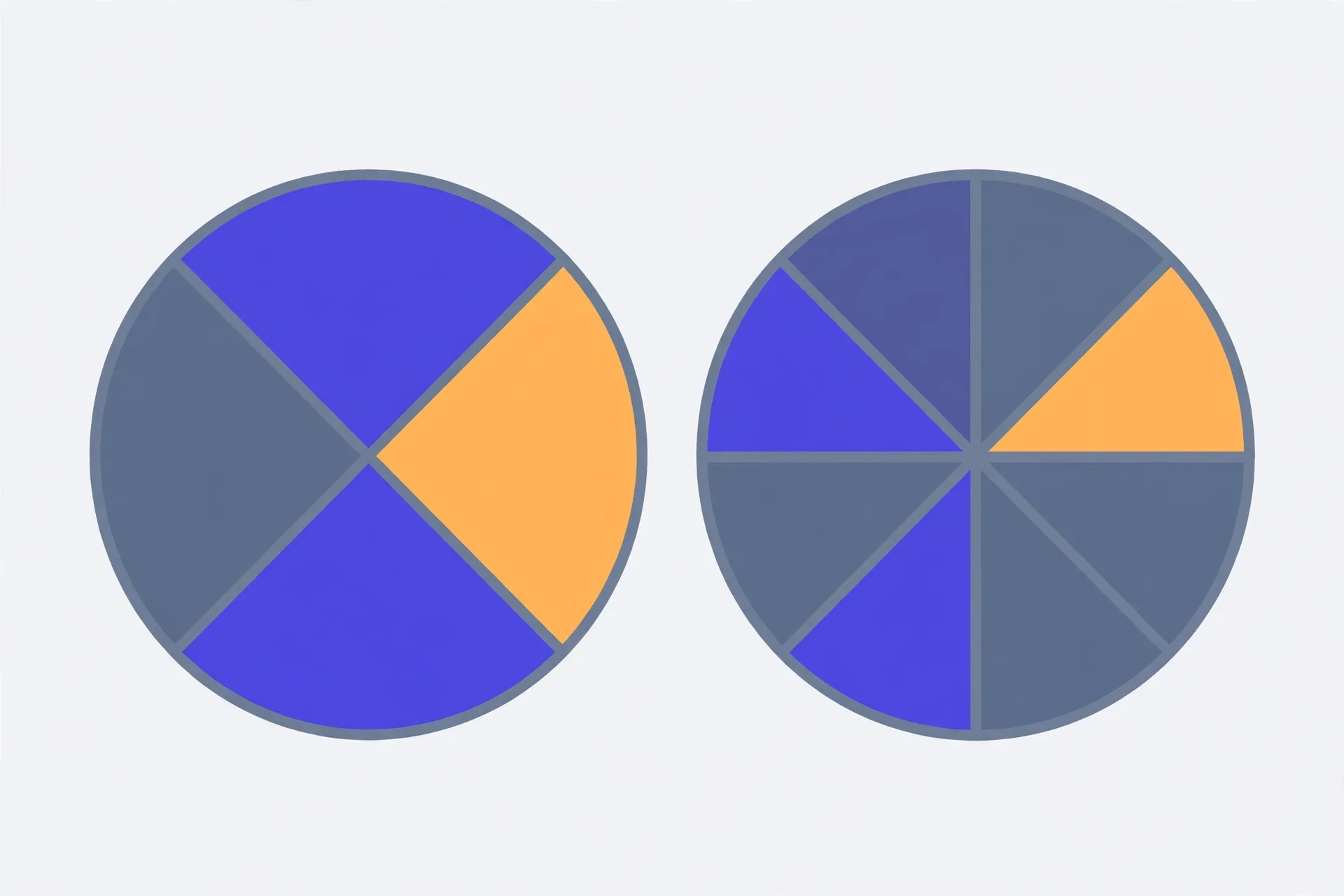
A fraction is a count of equal pieces. The denominator names the size of the piece, and the numerator counts how many you've got. Three quarters means three pieces cut in four. Five sixths means five pieces cut in six. Those pieces aren't the same size, so you can't just add the counts and call it done. That's the whole problem, right there.
The fix is to recut both fractions into pieces of one shared size. That shared size is the common denominator. Once both fractions sit over it, you're counting identical pieces, and adding or subtracting is just adding or subtracting the top numbers. The denominator itself doesn't move. It can't. If it did, you'd be changing the size of the piece halfway through counting it.
You'll see the pattern in the tool's own example. Half plus a third looks like it should be something tidy, and it is — but not two fifths, which is what you get if you add top and bottom straight across. Over the common denominator 6, a half is 3/6 and a third is 2/6, so 1/2 + 1/3 = 5/6, about 0.833333. The calculator does the recutting for you. Still, knowing what's happening underneath helps you spot an answer that's plainly off before you write it down anywhere.
Add or subtract fractions in seven steps
Keep the two fractions in front of you and work in this order. Don't skip the estimate at the end — it catches most typing slips.
- Enter the first fraction in the First numerator and First denominator fields, checking that the denominator is not zero.
- Choose the operation in the Operation field — + Add, − Subtract, × Multiply or ÷ Divide — to match the job in front of you.
- Enter the second fraction in the Second numerator and Second denominator fields, again keeping the denominator away from zero.
- For adding or subtracting, picture the common denominator first, so you know what size pieces you're about to combine.
- Read the result in its reduced form, and check the mixed number if the answer is improper.
- Check the decimal shown to six places against a rough estimate in your head, so a typing slip stands out.
- If you're dividing, confirm the second fraction's numerator is not zero, and re-run the calculation with the fractions swapped only if the order should change.
That fourth step sounds like extra work. It isn't. If you know 3/4 and 5/6 will both land on twelfths, you already know the answer will be some number of twelfths, and a result in twenty-fourths or eighths tells you at a glance that something was typed wrong. A rough shape in your head beats a blind copy every time.
Two sums worked slowly: one addition, one subtraction
Start with 3/4 + 5/6. Four and six share 12 as a common denominator, and it's the smallest one that fits both. To turn quarters into twelfths you multiply top and bottom by 3, so 3/4 becomes 9/12. To turn sixths into twelfths you multiply top and bottom by 2, so 5/6 becomes 10/12. Now the pieces match. Add the numerators: 9 + 10 = 19. The answer is 19/12.
Nineteen twelfths is improper — the numerator is bigger than the denominator — so the calculator also shows it as a mixed number, 1 7/12, and as a decimal, about 1.583333. Does that pass a smell test? Three quarters is 0.75, five sixths is about 0.83, and together they should land near 1.58. They do. Good.
Subtraction works the same way. Take 7/8 − 1/3. Eight and three share 24, so rewrite 7/8 as 21/24 and 1/3 as 8/24. Subtract the numerators: 21 − 8 = 13. You get 13/24, about 0.541667. It's already in lowest terms, so there's nothing to reduce. And the estimate agrees: seven eighths is just under nine tenths, a third is about 0.33, and the gap between them should sit near 0.54. It does.
Multiplying, dividing, reducing and mixed numbers
Here's the part that surprises people. Multiplication doesn't need a common denominator at all. You go straight across: numerator times numerator, denominator times denominator. That's it. No recutting, no shared piece size, because you aren't combining counts of pieces — you're taking a fraction of a fraction.
Division has one extra move. You flip the second fraction, then multiply. So 1/2 ÷ 1/4 becomes 1/2 × 4/1, which is 2. That makes sense if you think about the question being asked: how many quarters fit inside a half? Two. The flip isn't a trick to memorise. It's the question turned into a form you can answer. One limit matters here, though. You can't divide by a fraction whose numerator is zero, because flipping it would put zero in a denominator, and the tool refuses that case outright.
Every result gets reduced. The calculator divides top and bottom by their greatest common divisor, so 6/8 always comes back as 3/4. Same value. Cleaner form. If a result is improper, you'll also get the mixed number: 7/4 becomes 1 3/4, because four quarters make one whole and three quarters are left over, and as a decimal that's 1.75. Signs are handled plainly too — a negative value carries its sign on the numerator, so you won't see a stray minus sign hiding in a denominator.
Slips that give you a neat, wrong answer
The classic slip is adding the denominators. Add 1/2 and 1/3 straight across, top and bottom, and you get 2/5 — a clean-looking answer that's smaller than one of the fractions you started with. That alone should set off an alarm. A sum can't be smaller than its parts when both parts are positive. If your answer shrinks, you didn't add. You did something else.
Watch the subtraction order as well. Fractions don't commute when you subtract: 7/8 − 1/3 is 13/24, but 1/3 − 7/8 is negative, and the tool will show that sign on the numerator. Swapping the two fields by accident is an easy slip when you're copying numbers off a worksheet, and the decimal check in step six is what catches it. A result of about 0.54 and a result of about −0.54 don't look alike once you glance at them.
Two inputs get refused, and both refusals are doing you a favour. A denominator of zero isn't a fraction at all — you can't cut something into zero pieces — so the tool says so instead of inventing a number. Dividing by a fraction with a zero numerator fails for the same reason after the flip. If you hit either message, don't work around it. Look at the original problem again. Somewhere in it, a zero has landed where it doesn't belong, and that's worth knowing before the arithmetic goes any further.
The Verystep Fraction Calculator takes a First numerator and First denominator, an Operation — + Add, − Subtract, × Multiply or ÷ Divide — and a Second numerator and Second denominator, then shows the answer reduced, as a mixed number when it is improper, and as a decimal to six places. It runs in your browser, with nothing uploaded.
Last verified November 19, 2026 — fields, operation options and the three result forms checked against the live Verystep Fraction Calculator, and every worked sum recomputed by hand (3/4 + 5/6 = 19/12 = 1 7/12; 7/8 − 1/3 = 13/24; 1/2 ÷ 1/4 = 2).
Frequently asked questions
Why can't I just add the numerators and denominators?
Because the denominators name the size of the pieces, and adding them changes the piece size mid-count. Add 1/2 and 1/3 straight across and you get 2/5, which is smaller than the half you started with. Rewrite both over a common denominator first — 3/6 + 2/6 — and the sum is 5/6, which is bigger than either part, as a sum of positives has to be.
How does the calculator reduce an answer like 6/8?
It divides the numerator and denominator by their greatest common divisor. For 6/8 that divisor is 2, so 6 divided by 2 is 3 and 8 divided by 2 is 4, giving 3/4. The value hasn't changed; it's just written in lowest terms, which is the form recipes, worksheets and specifications expect.
What does the calculator show for an improper fraction?
Three forms. You get the reduced fraction itself, a mixed number when the numerator is larger than the denominator, and a decimal to six places. So 7/4 shows as 1 3/4 and 1.75, and 19/12 — the answer to 3/4 + 5/6 — shows as 1 7/12 and about 1.583333. A proper result has no mixed form, and the tool says so rather than inventing one.
Why did the tool refuse my division?
Most likely the second fraction had a zero numerator. Dividing flips that fraction, which would put the zero in the denominator, and a zero denominator isn't allowed. The tool also refuses any fraction entered with a denominator of zero. Check both fields: the First denominator, the Second denominator, and, for division, the Second numerator.
Where does a negative answer put the minus sign?
On the numerator. The tool carries the sign there, so a result like −13/24 keeps its denominator positive and plain to read. You'll hit this when a subtraction runs the other way than you expected — 1/3 − 7/8, for example — and it's a useful prompt to check you entered the fractions in the order the problem asked for.
More guides
The PPWR Empty Space Ratio: Why the 50% Cap Hits Your Shipping Box First
Ask a room of online sellers what the PPWR will change first and most will say labels. The duty with a number in it is quieter: from 2030 at the earliest, no more than half the volume of your shipping box may be empty — and the filler you stuff into it counts as empty.
Counting a Return Window: The EU 14-Day Cooling-Off Period Starts the Day After Delivery
A shop page says “14 days to return”. Fourteen days from when — the order, the dispatch, the delivery? And counted how — in calendar days or working days? EU law answers both questions, and the answers are not the ones most countdown banners use.

How to Check Gift Return Eligibility Without a Receipt
Black Friday is over, the gifts are changing hands, and some of them are the wrong size, the wrong color or the second one you own. There is no receipt — there never is with a gift — so the question is not “can I get my money back?” but “which route does this store actually offer someone in my position, and how long do I have?”