Counting Days: Inclusive or Exclusive? Why Two Calculators Differ by One Day
Your calculator says 8 days. A colleague’s says 9. You both typed the same two dates — and you are both right, because you are not counting the same thing.
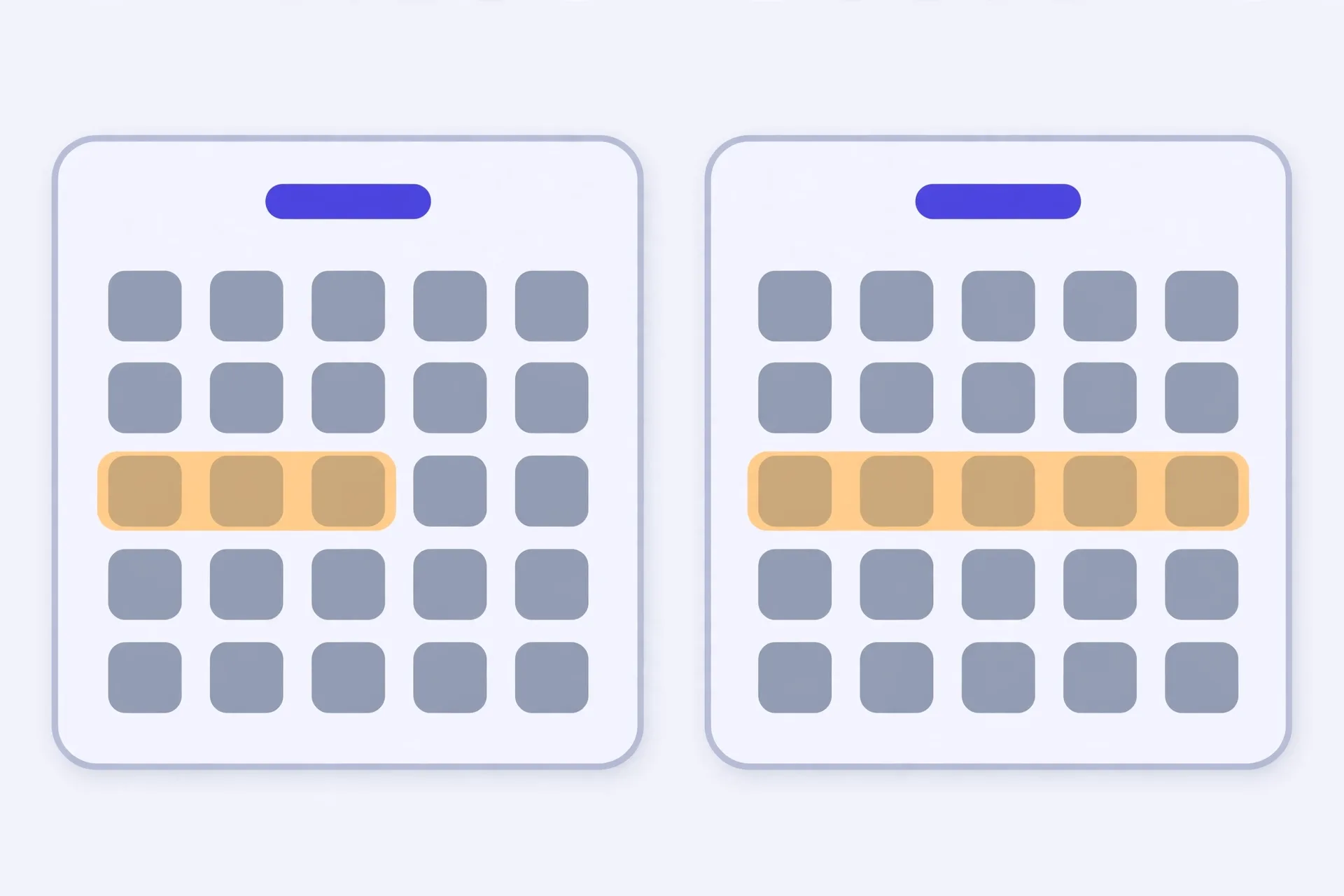
Date counting comes in two systems. Exclusive counting measures the gap: how many full 24-hour steps pass between the start date and the end date. Inclusive counting counts calendar days touched, including both the first and the last day, so it always lands exactly one higher. The Verystep Date Duration Calculator uses the exclusive system — November 16 to November 24, 2026 gives 8 days — and you add 1 when a document counts both endpoints, giving 9. Deadlines, ages in days and “days until” questions want the gap. Hotel nights billed per calendar day, some project billing and “both dates inclusive” clauses want the touched-days figure. When a document just says “within 30 days” and names no convention, the safer reading starts counting the day after the trigger event and treats day 30 as the deadline.
Two systems, one calendar: why the off-by-one happens
Picture a fence. Eight fence panels need nine posts, one at each end and one between every pair of panels. Dates work the same way, and that is the whole mystery. A span of time has two things you can count: the gaps between the days, or the days themselves, posts and all. Count the gaps and you get the smaller number. Count the posts and you get exactly one more. Every “your calculator is wrong” argument about dates is really an argument about which of those two things got counted.
Exclusive counting counts the gaps. The Verystep tool converts each date into a day number on the proleptic Gregorian calendar and subtracts, so the result is the number of full days that elapse between the two midnights. January 1 to January 2 is 1 day, not 2. Monday to Wednesday is 2 days. This is the count behind ages in days, countdowns, “how many days until my trip”, notice periods measured from an event, and most deadline arithmetic, because a deadline is about time passing, not about squares touched on a wall calendar.
Inclusive counting counts the posts. It takes the same gap and adds 1, folding both the start day and the end day into the total. Check in on the 16th and out on the 24th and you were away 8 days — but your stay touched 9 calendar days, and a bill drawn up per calendar day, both endpoints included, will say 9. The tool’s own help text puts it plainly: inclusive counting is what hotels and project billers usually mean by “days”. Neither system is sloppy. Each answers a different question, and trouble only starts when a document quietly assumes one while you compute with the other.

Count a span on Verystep, step by step
Before you start: decide which question you are asking. “How much time passes between these dates?” is a gap question. “How many calendar days does this period cover, counting the first and the last?” is a posts question. Knowing that in advance tells you whether to use the tool’s number as-is or add 1 at the end.
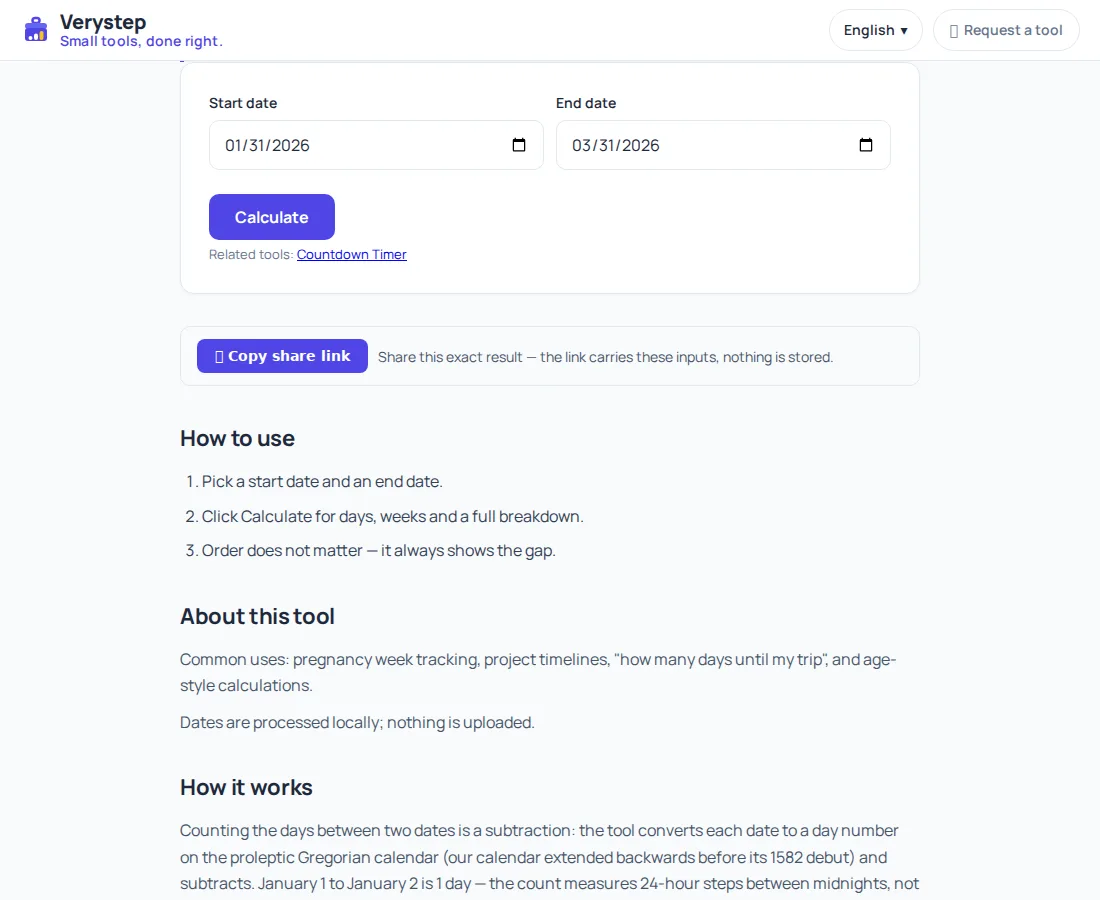
- Open the Date Duration Calculator and find the two fields labelled “Start date” and “End date”. Enter your earlier date in “Start date” and the later one in “End date”. If you swap them by accident, do not worry: order does not matter and the tool always shows the positive gap.
- Press “Calculate”. Expect the result to show the gap in days, in weeks, and as a fuller breakdown. Read the days figure first — that is the exclusive count, the full days between the two dates.
- Check the result against a tiny case you can verify in your head. Start date Monday, End date Wednesday should read 2 days. If your real span behaves like that mini case, the tool is counting the way you think it is.
- If your document counts both endpoints — wording like “both dates inclusive”, a per-calendar-day bill, a stay charged for every day touched — add 1 to the days figure. That single addition converts the tool’s exclusive result into the inclusive count. Do not add 1 twice, and do not add it to the weeks figure separately; convert the day total, then derive anything else from that.
- Working the other way, towards a deadline? Use the same page’s date arithmetic habits: a period of N days starting after a trigger event lands on trigger date plus N. Count forward from the day after the event, and treat the landing date as the last day, not the first day after it.
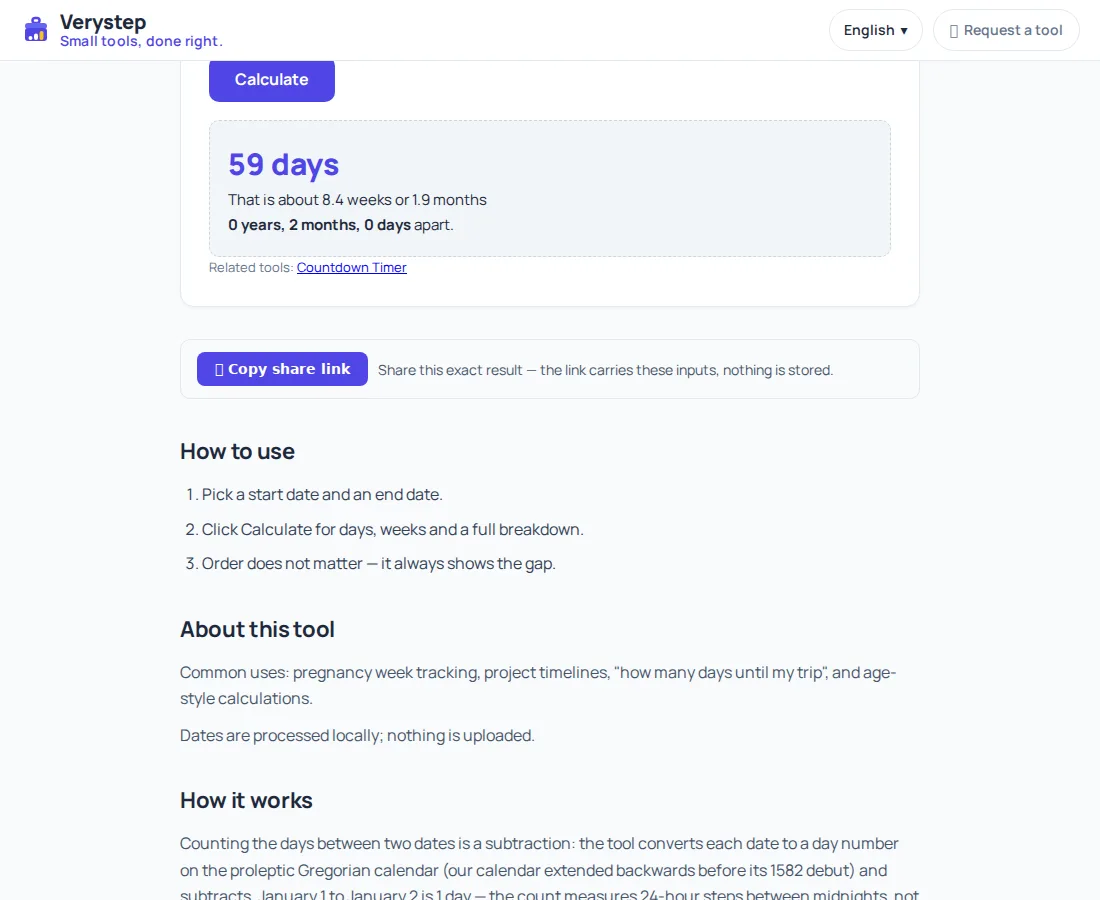
No account, nothing stored: the dates are processed locally in your browser, and the share link carries only the inputs you chose to put in it.
Worked example: November 16 to November 24, 2026, counted both ways
Take a short span you can check on any calendar: Monday, November 16, 2026 to Tuesday, November 24, 2026. Maybe it is a trial window, a short rental, a sprint. Count it exclusively first, the way the tool does. Walk the midnights: 16→17 is 1, 17→18 is 2, 18→19 is 3, 19→20 is 4, 20→21 is 5, 21→22 is 6, 22→23 is 7, 23→24 is 8. Eight full days pass between the two dates. Enter 2026-11-16 as the Start date and 2026-11-24 as the End date, press Calculate, and the tool agrees: 8 days, which it also shows as 1 week and 1 day.
Now count the same span inclusively, posts instead of gaps. List every calendar day the period touches: 16, 17, 18, 19, 20, 21, 22, 23, 24. That is nine days. Or take the shortcut the tool itself suggests: exclusive result plus 1, so 8 + 1 = 9. Both routes land on 9 because they must — the two systems differ by exactly one, always, for any span, in any month, leap year or not.
Which number is “right” for 16→24 November? It depends on the sentence around it. “Your trial ends 8 days after it starts on the 16th” points at the 24th, exclusive logic. “You are billed for each calendar day from the 16th through the 24th inclusive” bills 9 days. Same calendar, same two dates, two defensible answers — and a one-day dispute if the sentence never said which system it meant.
Limits, boundaries, and the “within 30 days” problem
This calculator counts calendar days, all of them — weekends and public holidays included. It does not count business days. If a period is defined in business or working days, the day count here is only your starting point: weekend days inside the span have to come out, and holidays depend on jurisdiction. As reference points, the Federal Reserve publishes the US federal holiday schedule, and GOV.UK publishes bank holidays for England and Wales, Scotland and Northern Ireland — check the list that matches the place your deadline lives in, not just any list.
The tool also gives months and years as calendar-derived figures, and months are the shaky part of any date maths: real months run 28 to 31 days, so a period stated in months should be counted in calendar months from the start date, not converted through an average month length. The off-by-one question, by contrast, is exact. It never depends on month lengths or leap years, because adding both endpoints always adds exactly one day.
Now the practical signal. Contracts, warranties and trial periods usually run on elapsed time: the clock starts with an event — signing, delivery, activation — and the period ends that many full days later. That is exclusive counting, and it is why the common protective reading of a bare “within 30 days” clause is: start counting on the day after the trigger event, and treat day 30 as the deadline. Counting the trigger day itself as day 1 would quietly hand you a deadline one day earlier than the other side may allow — fine if you finish early, dangerous if you rely on it in reverse and assume the trigger day does not count when your counterparty counts it. When money or rights ride on the date, get the convention in writing; when they do not, finish a day early and let the ambiguity work for you instead of against you. This guide explains counting conventions only — it is not legal advice, and how a specific clause is read depends on the document and its governing law.
The Verystep Date Duration Calculator takes a Start date and an End date and, on Calculate, shows the gap in days, weeks and a full breakdown. It counts exclusively — the full days that pass between the two dates — so Monday to Wednesday reads 2 days. Need the inclusive figure, both endpoints counted? Add 1 to the result. Order does not matter, leap years are handled, and everything runs in your browser: no dates are stored or uploaded.
Last verified November 24, 2026 — checked against the live Date Duration Calculator (English /dates/, Spanish /es/calculadora-de-dias/, Portuguese /pt/calculadora-de-dias/, French /fr/calculateur-dates/, German /de/datumsrechner/): the “Start date” and “End date” fields and the “Calculate” button; the result in days, weeks and a full breakdown; the tool’s stated exclusive convention (it measures the gap between the dates — Monday to Wednesday is 2 days — on the proleptic Gregorian calendar, order does not matter, leap years handled); its stated inclusive rule (add 1 to include both endpoints, the convention hotels and project billers usually mean); and its in-browser processing note (dates processed locally, nothing uploaded). Worked example recomputed by hand and against the live tool: November 16, 2026 (Monday) to November 24, 2026 (Tuesday) = 8 days exclusive, 9 days inclusive (8 + 1). Holiday references: Federal Reserve, Federal Reserve Board holiday schedule (federalreserve.gov); GOV.UK, UK bank holidays (gov.uk/bank-holidays). Sources: Federal Reserve Board — Holiday Schedule, https://www.federalreserve.gov/aboutthefed/k8.htm ; GOV.UK — UK bank holidays, https://www.gov.uk/bank-holidays . Not legal advice.
Frequently asked questions
Why does another calculator give a result one day higher than Verystep?
It is almost certainly counting inclusively — both the start day and the end day — while Verystep counts the gap between the dates. Neither is a bug. Check which convention your document or bill uses; if it counts both endpoints, add 1 to the Verystep result.
Does the Verystep date calculator count the start and end day?
No. It measures the gap between the two dates, so Monday to Wednesday is 2 days. That is the exclusive count: full days elapsed. If you need both endpoints included, add 1 to the result.
A clause says “within 30 days” but does not say how to count. What should I do?
The safer working reading is to start counting the day after the trigger event and treat day 30 as the deadline — that matches how elapsed-time periods usually run, and it never leaves you a day late under the other reading. For anything valuable, confirm the convention with the other party in writing. This is general information about counting, not legal advice.
Do weekends and holidays change the inclusive–exclusive difference?
No. The difference between the two systems is always exactly one day, whatever the span contains. Weekends and holidays matter for a separate question — whether a period counts calendar days or only business days — and this calculator counts calendar days, holidays included.
Is the same off-by-one behind hotel bills that charge one extra day?
Usually, yes. A stay from the 16th to the 24th spans 8 nights of elapsed time but touches 9 calendar days. Billing per calendar day, both endpoints included, produces the 9. Check whether the bill is per night (elapsed) or per calendar day (inclusive) before disputing it.
More guides

The PPWR Empty Space Ratio: Why the 50% Cap Hits Your Shipping Box First
Ask a room of online sellers what the PPWR will change first and most will say labels. The duty with a number in it is quieter: from 2030 at the earliest, no more than half the volume of your shipping box may be empty — and the filler you stuff into it counts as empty.

Counting a Return Window: The EU 14-Day Cooling-Off Period Starts the Day After Delivery
A shop page says “14 days to return”. Fourteen days from when — the order, the dispatch, the delivery? And counted how — in calendar days or working days? EU law answers both questions, and the answers are not the ones most countdown banners use.

How to Check Gift Return Eligibility Without a Receipt
Black Friday is over, the gifts are changing hands, and some of them are the wrong size, the wrong color or the second one you own. There is no receipt — there never is with a gift — so the question is not “can I get my money back?” but “which route does this store actually offer someone in my position, and how long do I have?”