Hex, RGB, HSL — and the Contrast Ratio Your Text Needs
Three formats, one colour — and a fourth number, the contrast ratio, that none of the three will tell you. That’s the one your readers feel.
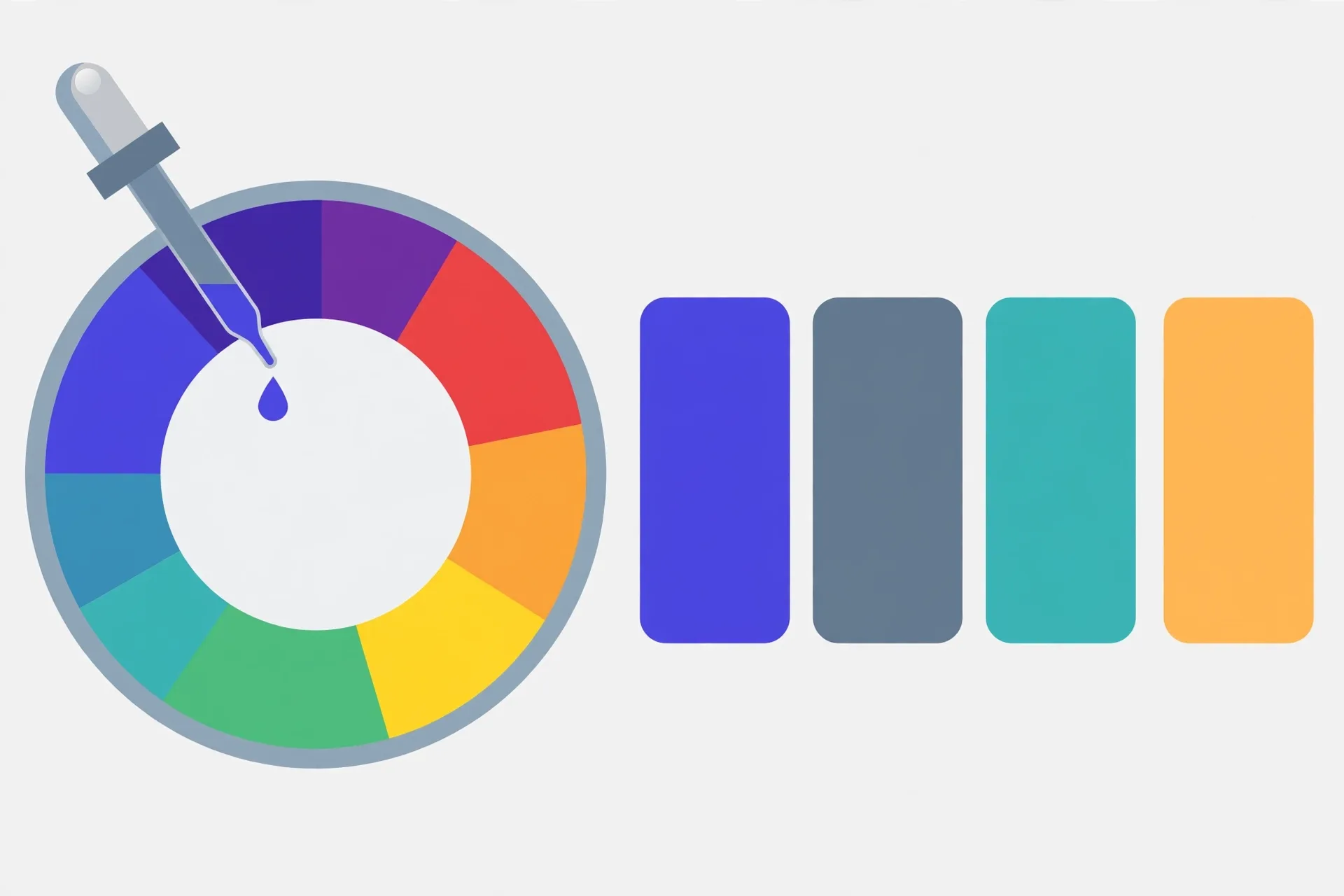
Hex, RGB and HSL describe the same colour for different readers: #FF5733, rgb(255, 87, 51) and hsl(11, 100%, 60%) are one orange in three spellings, and converting between hex and RGB is exact base-16 arithmetic. HSL is the easiest to adjust by hand, but its lightness does not predict perceived brightness, so it can’t tell you whether text will be readable. For that, WCAG uses relative luminance to build a contrast ratio: AA requires 4.5:1 for normal text and 3:1 for large text. Real pairs surprise people — white on #FF5733 is only 3.15:1, while #767676 on white just passes at 4.54:1 and #777777 just fails at 4.48:1.
One colour, three notations
Hex, RGB and HSL aren't rival colour systems. They're three ways of writing down the same colour, aimed at three different readers: hex for code, RGB for machines, HSL for humans. Take the burnt orange used as an example throughout the converter below: #FF5733.
| Format | The same colour | How to read it |
|---|---|---|
| HEX | #FF5733 | Three hex pairs: red FF, green 57, blue 33 |
| RGB | rgb(255, 87, 51) | Each pair converted to decimal: FF = 255, 57 = 87, 33 = 51 |
| HSL | hsl(11, 100%, 60%) | Hue 11° on the wheel, fully saturated, 60% lightness |
Converting hex to RGB is just base-16 to base-10 arithmetic, done three times. Converting back is the same trip in reverse, each result padded to two digits — which is why RGB values under 16 produce hex pairs starting with 0. Nothing is gained or lost either way; these are exact translations, not approximations. A three-digit hex like #F00 is shorthand, not a fourth format: each digit doubles, giving #FF0000.
RGB: the machine's view
Screens mix light, so RGB describes a colour as three intensities — how much red, green and blue light, each from 0 to 255. Zeroes across the board make black; 255s make white; equal mid values make greys.
RGB is precise and miserable to adjust by hand. Asked to make a colour "a bit darker", which of the three numbers do you touch, and by how much? All three, proportionally — and you'll guess, check the preview, and guess again. That friction is what the third notation exists to remove.
HSL: the human's view
HSL re-sorts the same information around how people talk about colour. Hue is a position on a wheel, 0 to 360 degrees: red at 0, green at 120, blue at 240. Saturation runs from grey (0%) to vivid (100%). Lightness runs from black (0%) through the full-strength colour (50%) to white (100%).
Now the everyday tweaks become single-number edits. Our orange, hsl(11, 100%, 60%), turns into a hover state by raising lightness, and into a muted version by lowering saturation. The site's own indigo, #4F46E5, is rgb(79, 70, 229) — and hsl(243, 75%, 59%). Design tools hand you HSL for variants because nobody thinks in channel arithmetic.

One warning, and it sets up everything after it: HSL lightness is not brightness as your eye sees it. A yellow and a blue can both sit at 50% lightness while the yellow looks blazing and the blue looks deep. HSL tells you how a colour was specified — never whether text in it will be readable. For readability there's a separate calculation, and it doesn't use HSL at all.
Contrast: the ratio your text actually needs
WCAG — the Web Content Accessibility Guidelines — measures readability with a contrast ratio built from relative luminance, a brightness score that weights the channels the way eyes do. Each RGB channel is first linearised (undone from its screen encoding), then combined: luminance = 0.2126 × red + 0.7152 × green + 0.0722 × blue. Look at those weights. Green counts for almost ten times as much as blue — that's why the yellow in the last section looked so bright.
The ratio itself is simple: (lighter luminance + 0.05) ÷ (darker luminance + 0.05). It runs from 1:1, identical colours and invisible text, to 21:1 for pure black on pure white. The thresholds that matter:
| WCAG level | Normal text | Large text |
|---|---|---|
| AA | 4.5:1 | 3:1 |
| AAA | 7:1 | 4.5:1 |
Large text means at least 24 px, or about 19 px if it's bold. Icons and interface elements that carry meaning sit under a separate 3:1 rule against their background. AA is the level most regulations and procurement rules point at.
Three pairs, worked honestly
Abstract thresholds persuade nobody, so let's run real pairs through the formula.
White text on #FF5733: 3.15:1. Our cheerful orange, the example colour itself. As a button with big bold text it scrapes through AA's large-text 3:1. As normal-sized text it fails AA outright. Bright brand colours betray you exactly like this: vivid is not the same as dark, and white type on vivid mid-tones is the classic failure.
#777777 on white: 4.48:1. #767676 on white: 4.54:1. The most famous near-miss in web design. Two greys, one imperceptible step apart, straddling the AA line for normal text — the first fails by a hair, the second passes. If your body text is a "soft, friendly grey", you're probably designing within a point or two of this cliff edge. Check it; don't eyeball it.
White text on #4F46E5: 6.29:1. The indigo in this site's palette passes AA for any text size comfortably, then misses AAA's 7:1. That's a typical honest result for a real brand colour.
Check your own pair, step by step
- Write down the two hex values: the text colour and the background it actually sits on — not the one in the design file if a gradient, photo or overlay intervenes.
- Convert both to RGB — the converter below does this — since that's the input the luminance formula needs.
- Linearise each channel and apply the weights (0.2126, 0.7152, 0.0722), or hand the pair to any WCAG checker — the arithmetic is standardised, so honest tools agree.
- Compare against the right row: 4.5:1 for normal text at AA, 3:1 only if the text genuinely qualifies as large.
- Failing? Adjust in HSL, where the fix is one number: lower the text colour's lightness (or raise the background's) in small steps, convert back, and re-check. Contrast problems are fixed in pairs — never by changing one colour and hoping.
And keep the limit of the number in view. A passing ratio doesn't rescue tiny type, a hairline font weight, or text laid over the busy part of a photograph, where the "background" changes under every word. The ratio is a floor, not a guarantee. But it's a floor with a formula — one of the few design arguments you can settle with arithmetic instead of taste.
The Verystep Color Converter turns any hex value into RGB and back with a live preview — the exact conversion the contrast formula takes as its input. Feed it your text colour and your background colour, note both RGB triples, and you have everything the worked examples above started from. It runs in your browser; nothing is uploaded.
Last verified October 31, 2026 — conversions match the converter below (#FF5733 → rgb(255, 87, 51) → hsl(11, 100%, 60%)); contrast thresholds and the relative-luminance method follow WCAG 2.1, and every worked ratio in this guide was computed with that formula.
Frequently asked questions
Are hex and RGB ever different colours?
No. A hex value and its RGB conversion are the same colour written two ways — #FF5733 and rgb(255, 87, 51) will render identically on every screen. Any visible difference means a digit was mistyped in conversion.
Is #FFF the same as #FFFFFF?
Yes. Three-digit hex is shorthand: each digit doubles, so #FFF expands to #FFFFFF, and #F00 is #FF0000. Shorthand only works when each pair would be two identical digits — #FF5733 has no three-digit form. Tools, the converter below included, generally work in the full six-digit form.
Why do two colours with the same HSL lightness look so different in brightness?
Because HSL lightness measures position between black and white in the colour model, not how bright a colour appears to a human eye. Eyes are most sensitive to green and least to blue — in the luminance formula green carries a weight of 0.7152 against blue’s 0.0722. A saturated yellow and a saturated blue can share a lightness value while looking dramatically different.
What contrast ratio does my text need?
For WCAG AA — the level most rules and guidelines reference — normal text needs 4.5:1 against its background, and large text (at least 24 px, or roughly 19 px bold) needs 3:1. AAA raises those to 7:1 and 4.5:1. Meaningful icons and interface elements need 3:1 against adjacent colours.
My pair passes the ratio. Is it guaranteed readable?
No — the ratio is a floor, not a guarantee. Very small type, hairline font weights, and text over photographs or gradients can all strain readers while passing the arithmetic. Treat 4.5:1 as the minimum entry requirement, then still look at the rendered page at real size.
More guides

UUIDs Explained: v4, v7, and When the Version Matters
One digit in the middle of the string tells you how the whole ID was made — random roll, timestamp, or a hash of a name. Sometimes that digit is trivia. Sometimes it’s the design.

How GPA Is Calculated: Weighted, Unweighted and the 4.0 Scale
There's no registrar magic in a GPA. There's one weighted average — and the weights are the part everyone forgets.
BMI, BMR and TDEE: Three Numbers, Three Different Jobs
One is a ratio, one is an idling cost, one is a daily total. Compare them as if they were the same kind of number and every one of them will mislead you.